A tunnel that
shows every request.
One native Mac app. Public URL for your localhost, every request visible, every webhook replayable.
Apple Silicon & Intel · macOS 14+

Your first tunnel in 30 seconds.
No terminal. No config files. Just open Tunno, pick a port, click Start — your public URL lands in your clipboard.
Download Tunno
Free for your first tunnel. No signup required to try it.
Pick your local port
3000, 8080, 5173 — whatever your dev server runs on.
Click Start
Your public URL is live and copied to your clipboard.
Three tools for one job.
Every webhook debug is a context-switch marathon.
The tunnel CLI
Fire up ngrok or Cloudflare in your terminal. Copy the URL. Switch back to Postman to see what came through.
The inspector
Switch to your browser's devtools or a separate proxy app. Hunt for the request. Parse raw JSON by eye.
The replay trigger
Go back to Stripe Dashboard. Click “Send test webhook” again. Wait. Repeat.
What if one tool did all three?
Everything you need. Nothing you don't.
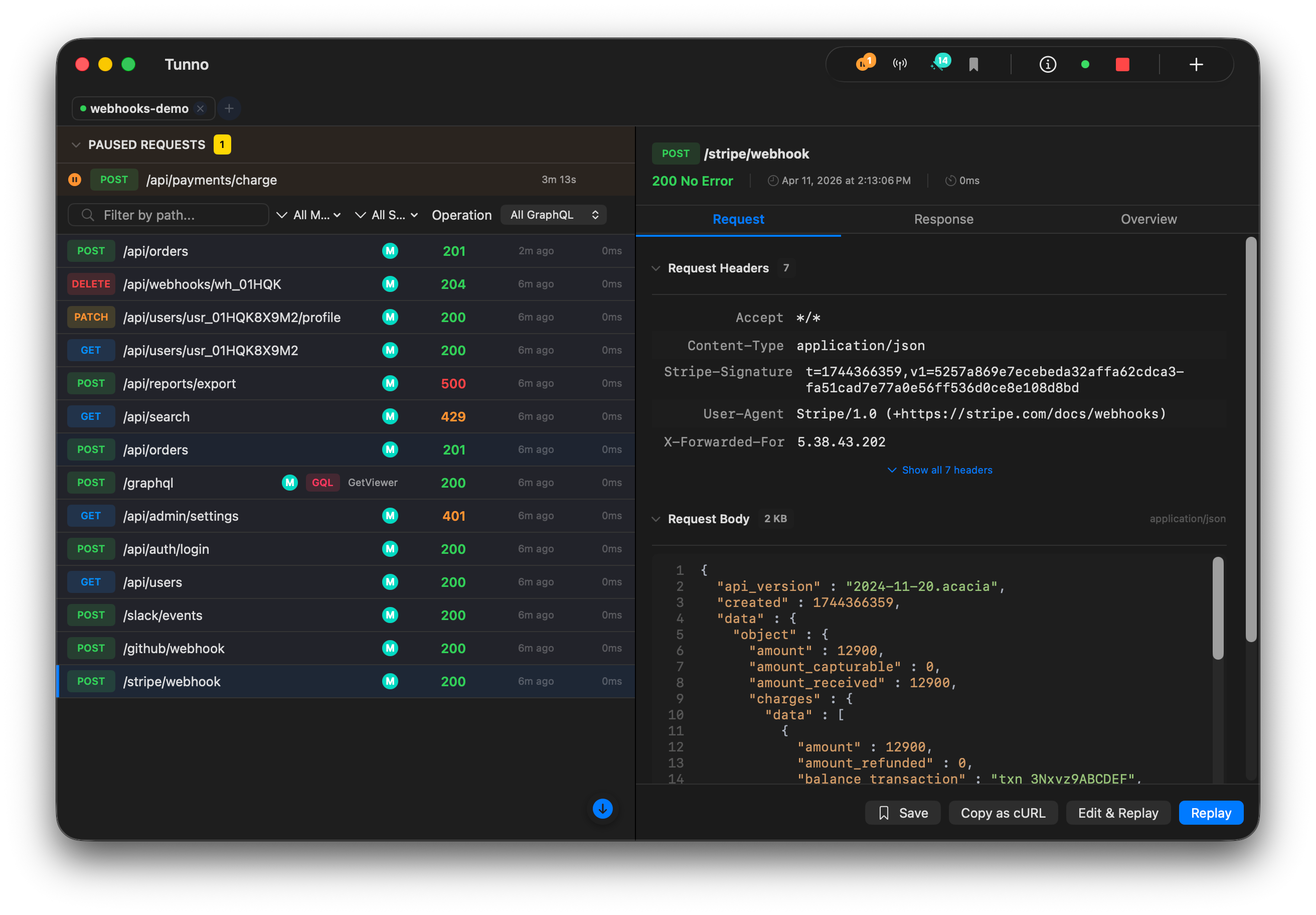
See every request in real-time
Full HTTP, TCP, UDP, and WebSocket inspection without leaving your app. Syntax-highlighted JSON, headers, and timing. Search and filter by method, status, or path — no more squinting at terminal logs.
Don't re-trigger. Just replay.
Fixing a webhook bug? Don't make another purchase to trigger Stripe. Hit replay — same payload, same headers, sent directly to localhost (bypasses the tunnel entirely). Fix your code, replay again.
Pause. Inspect. Modify. Resume.
Set breakpoints on any endpoint. When a request hits, Tunno pauses it — inspect the payload, return a mock response, or drop it entirely. Auto-continue timeout keeps your upstream happy while you debug.
And much more
Built into the app — no plugins, no extensions.
GraphQL Support
Auto-detect queries, pretty-print, filter by operation type.
Protocol Inspection
WebSocket frame viewer, gRPC protobuf decoding, hex dump for binary data.
Request Diff
Side-by-side comparison with smart JSON diff.
Response Mocking
Rules engine with regex paths, template variables, priority ordering.
Network Simulation
6 presets from WiFi to Offline, or dial in custom latency, jitter, and packet loss.
Custom Headers
Inject request or response headers per tunnel. Auth tokens, CORS, custom metadata.
Saved Requests
Save captured requests into folders. Organize, name, export and reimport your collection.
cURL & HAR Export
One-click copy as cURL. Batch export as HAR. Share or import into other tools.
70+ MCP Tools for AI
Let Claude or any AI assistant manage tunnels, inspect traffic, replay requests.
Your endpoints. Your identity.
Stop using random URLs that change every time you restart.
Custom Subdomains
Claim a memorable URL for your project. Keep it forever. No more updating webhook settings every restart.
TCP, UDP & WebSocket
Not just HTTP. Expose any TCP, UDP, or WebSocket service with reserved port assignments.
Server Location
Pick US or EU when you create a tunnel. Region goes right in the URL. Live latency badges help you choose.
Built for speed and visibility.
Real workflows. Not demos.
Webhook debugging
Receive events from Stripe, Twilio, Shopify — locally. Inspect, fix, replay.
Share with your team
Send a URL to a teammate or client. They see your localhost — no deploy needed.
Local API for mobile apps
Test your iOS or Android app against your local API — no deploy cycles.
AI-powered debugging
Claude or any AI assistant controls tunnels, inspects traffic, and replays requests.
How Tunno compares to ngrok.
| Feature | ngrok | Tunno |
|---|---|---|
| Interface | CLI + browser dashboard | Native macOS app |
| Request Inspection | Web UI (local or cloud) | Inline in app |
| Breakpoint Debugging | No | Yes |
| Network Simulation | No | 6 presets + custom |
| GraphQL Support | No | Auto-detect & pretty-print |
| MCP Tools | No | 70+ tools |
Simple, transparent pricing.
Start for free, upgrade when you need power.
Hobby
Perfect for side projects and learning.
- 1 HTTP tunnel
- 1 GB bandwidth / month
- Request inspector & replay
- GraphQL auto-detection & pretty-print
- Random subdomains
- Copy as cURL & HAR export
Pro
For power users who need complete control.
Everything in Hobby, plus:
- 5 HTTP + 2 TCP + 2 UDP + 2 WS tunnels
- 100 GB bandwidth / month
- US & EU regions with latency measurement
- Custom subdomains & custom domains
- Breakpoints, mocking & network simulation
- 70+ MCP tools for AI assistants
Both plans include unlimited replay and native macOS performance.
Stop debugging webhooks blind.
Every request captured. Every webhook one click from replay. One native app — no browser tabs, no terminal juggling.
Free for your first tunnel · No signup required